COVID-19 Health Advisory Platform by Ministry of National .....


Skyhook for Technicians
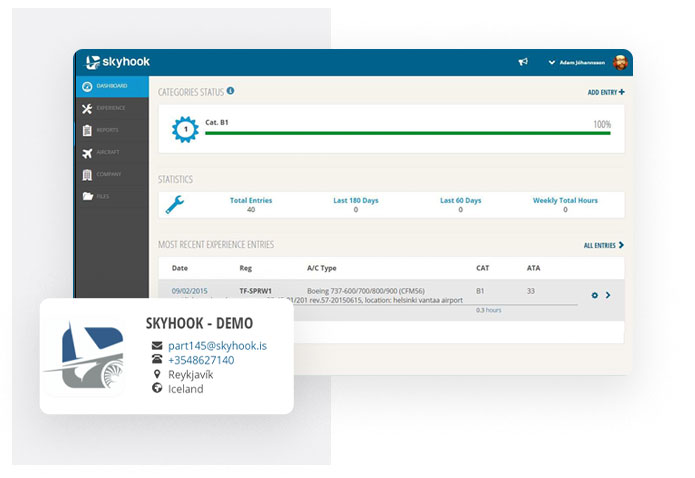
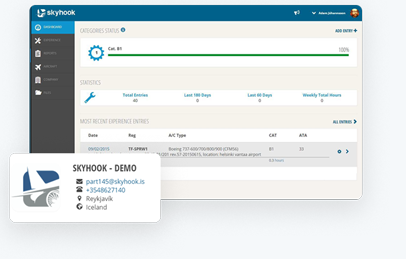
When a technician logs into skyhook.is he sees the dashboard. The dashboard gives him an overview of the whole system. There the technician can see his categories status, his statistic and most recent experience entries. The categories status is a visual representation of the logbook status. In the picture blow the category status is on top of the screenshot. Here Adam Is logging experience on category B1, group 1 (the group number is inside the blue cogwheel). His status is 100%. That means that he is current in accordance with EASA regulations. Technicians can log experience on as many categories and groups as needed
 Skyhook Expereince
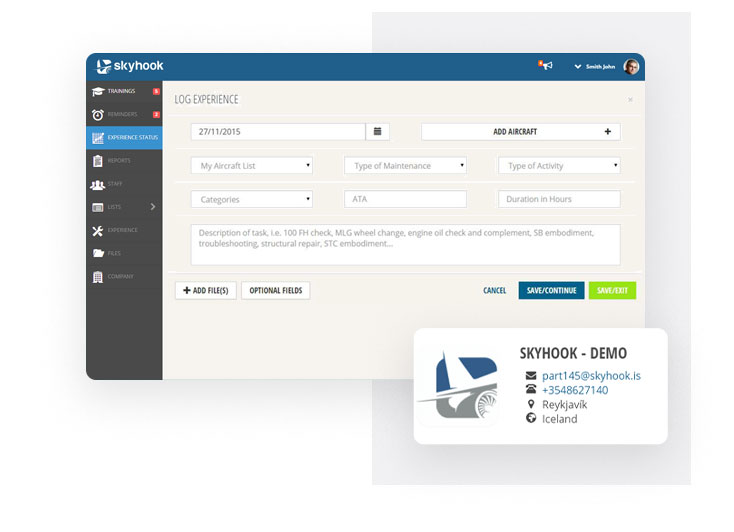
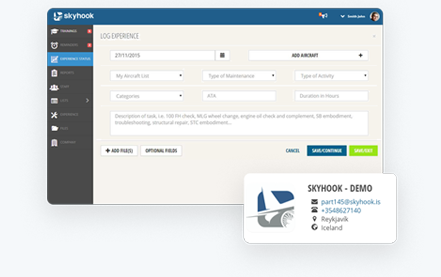
To log experience you go to the experience page and press add entry. Then the log experience pops up.
The logbook is based on EASA regulations (66.A.20(b)2). Managers can then select which fields are mandatory and which fields are optional.

 Skyhook Expereince
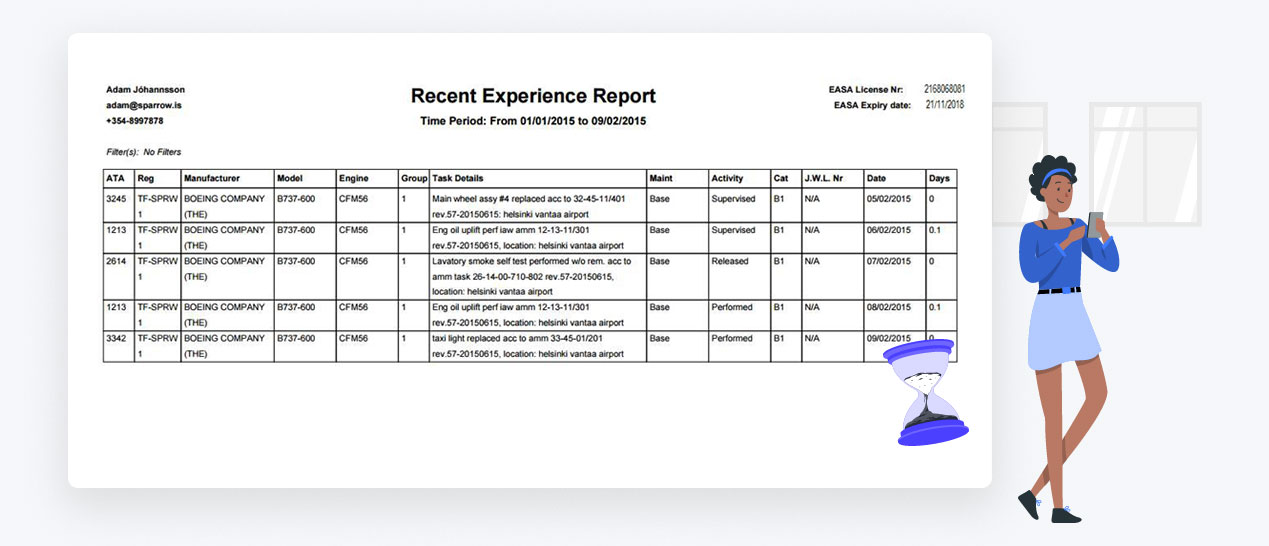
Technicians themselves have the option to make detailed and professional reports based on their experience. The main report is the Experience Report. All fields in the experience logbook are available as a filter in the experience report. This makes the report extremely versatile and gives the technician almost endless possibilities of reporting. It can be sorted both by date and also by ATA chapter.
For technicians who are still in training we have a version of the experience report with fields for their supervisor to sign for the technician’s experience
 Skyhook for Technicians
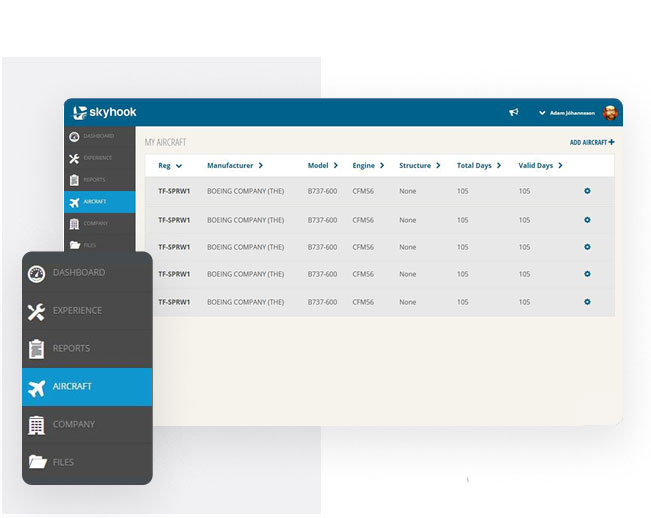
On the aircraft page the technician sees all the aircraft he has logged experience on. He also sees other aircraft from his company that other techni- cians have logged experience on. He can add new aircraft to his list or get them from other members of his organization.
 Skyhook for Technicians
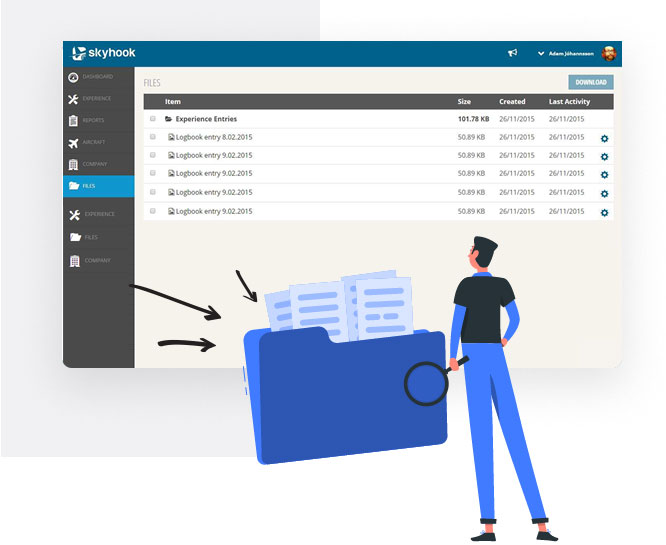
All files the technician has attached to his experi- ence entries can be accessed in a specific files page. There it is easy to get multiple files for a spe- cific period.
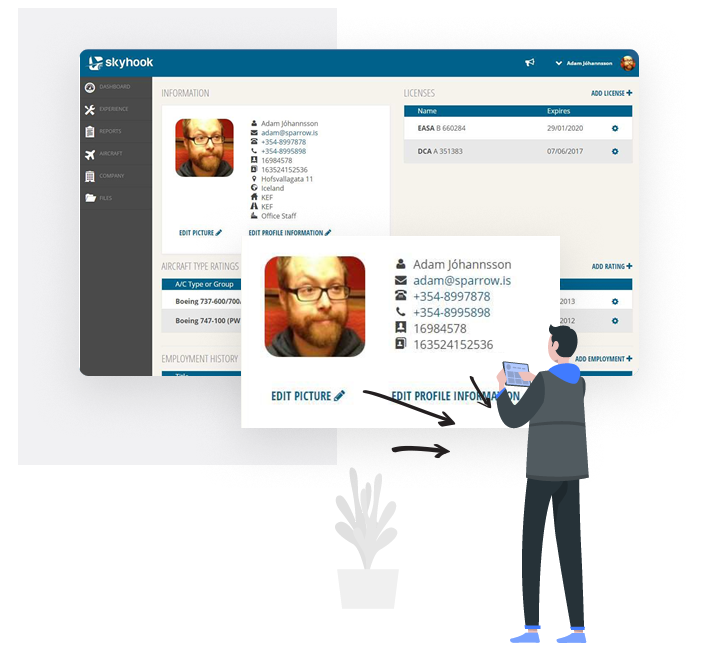
On the profile page the technician can manage his profile information, licenses, type ratings and his employment history.
Skyhook.is is a service that enables you to manage all your recent aviation experience, continuous requirements, licenses, certificates and much more. Their service also allows you to produce professional reports easily. Skyhook.is was founded in 2010, but the idea initially began in 2008 when they noticed the lack of a good online solution for thenewly established EASA regulations in regards to individual requirements for Aviation Technicians and their licenses. They launched in June 2011.
Perfect for when your team has different departments that share some tasks, such as your engineering and success teams.
Enjoy a real-time experience, where everything you do is live updated for all of your team, even when working on different projects.
We speak your language! Produck is currently available in English, German, and Spanish, including support in EST and Europe time zones.
Lorem Ipsum is simply dummy text of the printing and type -setting industry. Lorem Ipsum has been the industry'smmy text ever since the 1500s, when an unknown printer took a galley of type and scrambled it to make a type specimen book.